Setup Windows
Ikuti langkah-langkah berikut untuk melakukan installasi pada Windows Server.
Install XAMPP
Install XAMPP dengan konfigurasi seperti pada gambar dibawah ini.

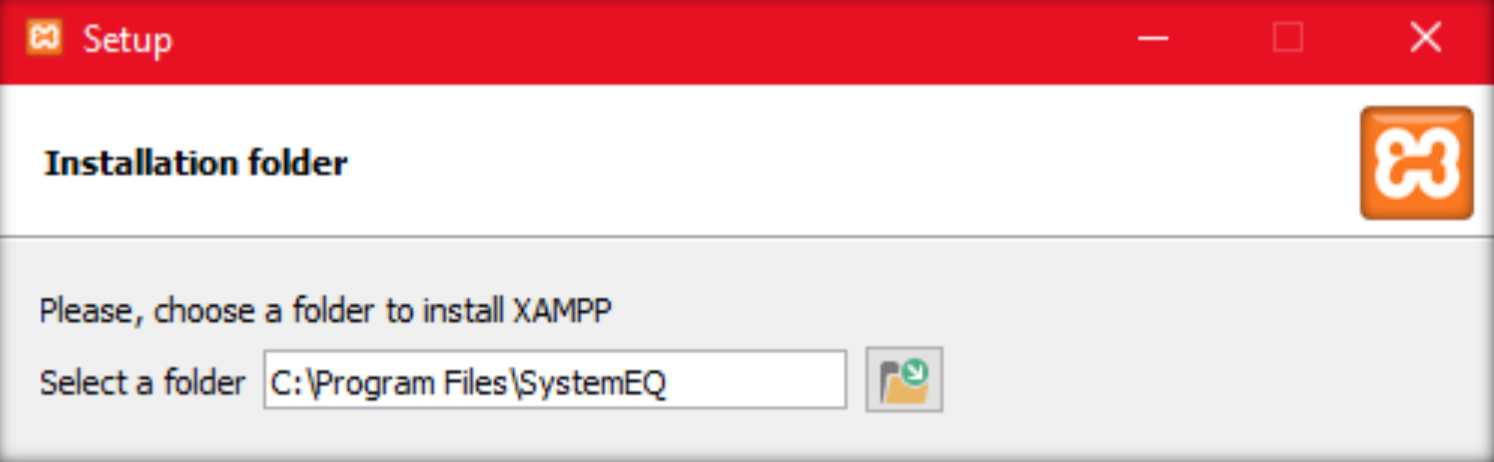
Buka
xampp-control.exedengan run as administrator.
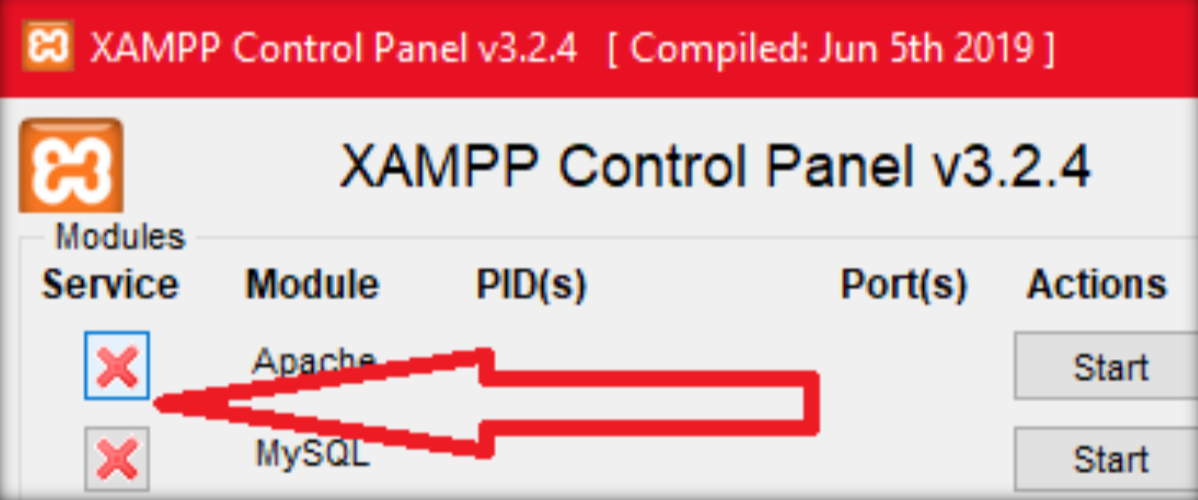
Install apache dan mysql sebagai service dengan klik tanda silang merah pada bagian Service.
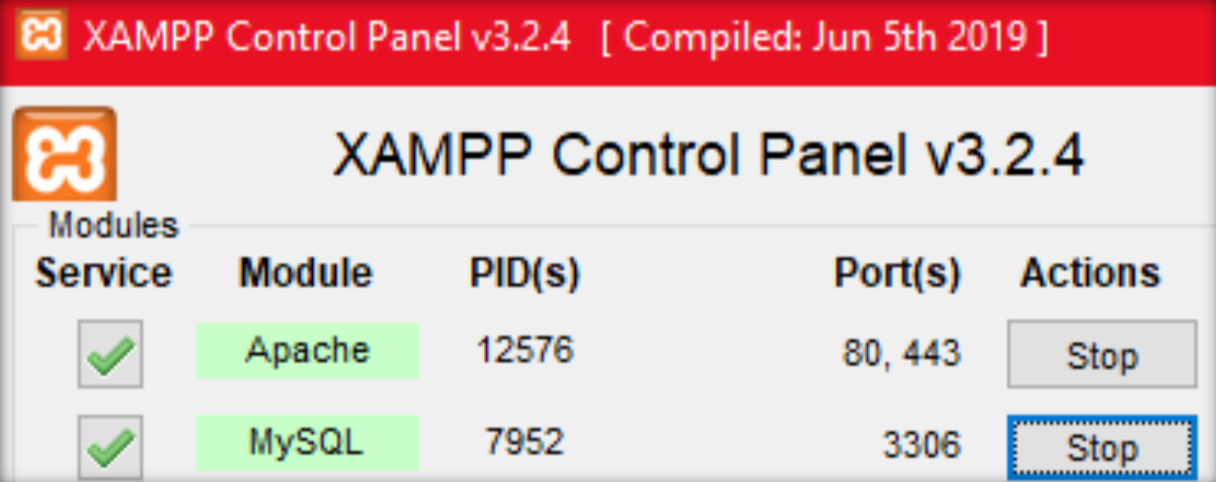
Jalankan apache dan mysql dengan klik tombol Start.
Config phpMyAdmin
- Buka file
config.inc.phpphpmyadmin di sini.
C:\Program Files\SystemEQ\phpMyAdmin
- Kemudian ubah dan simpan konfigurasi seperti berikut (blowfish_secret bebas random menggunakan kombinasi alphanumerik) atau bisa menggunakan generator ini.
C:\Program Files\SystemEQ\phpMyAdmin\config.inc.php
$cfg['blowfish_secret'] = 'UBAH_BLOWFISH_SECRET';
$cfg['Servers'][$i]['auth_type'] = 'cookie';
$cfg['Servers'][$i]['user'] = 'root';
$cfg['Servers'][$i]['password'] = '';
$cfg['Servers'][$i]['extension'] = 'mysqli';
$cfg['Servers'][$i]['AllowNoPassword'] = false;
Config MySQL
- Buka file
my.iniyang ada di sini.
C:\Program Files\SystemEQ\mysql\bin
- Cari variable
max_allowed_packetdan ubah menjadi seperti ini.
C:\Program Files\SystemEQ\mysql\bin\my.ini
max_allowed_packet=20M
Install PHP Extension
- Extract file
php_ext_ioncube_sqlserver.zipke directory ini.
C:\Program Files\SystemEQ\php\ext
- Buka
php.iniyang ada di sini.
C:\Program Files\SystemEQ\php
- Tambahkan dan simpan variable seperti berikut:
C:\Program Files\SystemEQ\phpMyAdmin\config.inc.php
zend_extension="C:\Program Files\SystemEQ\php\ext\ioncube_loader_win_7.3.dll";
extension=pdo_sqlsrv_73_ts
extension=sqlsrv_73_ts
- Install msodbc driver menggunakan file
msodbcsql_17.4.2.1_x64.msi(64Bit) ataumsodbcsql_17.4.2.1_x86.msi(32Bit)
Restart XAMPP
Stop dan Start service Apache dan MySQL
Configure MySQL User
Buka localhost/phpmyadmin atau http://ip_server/phpmyadmin, kemudian buat user dengan setting sebagai berikut:
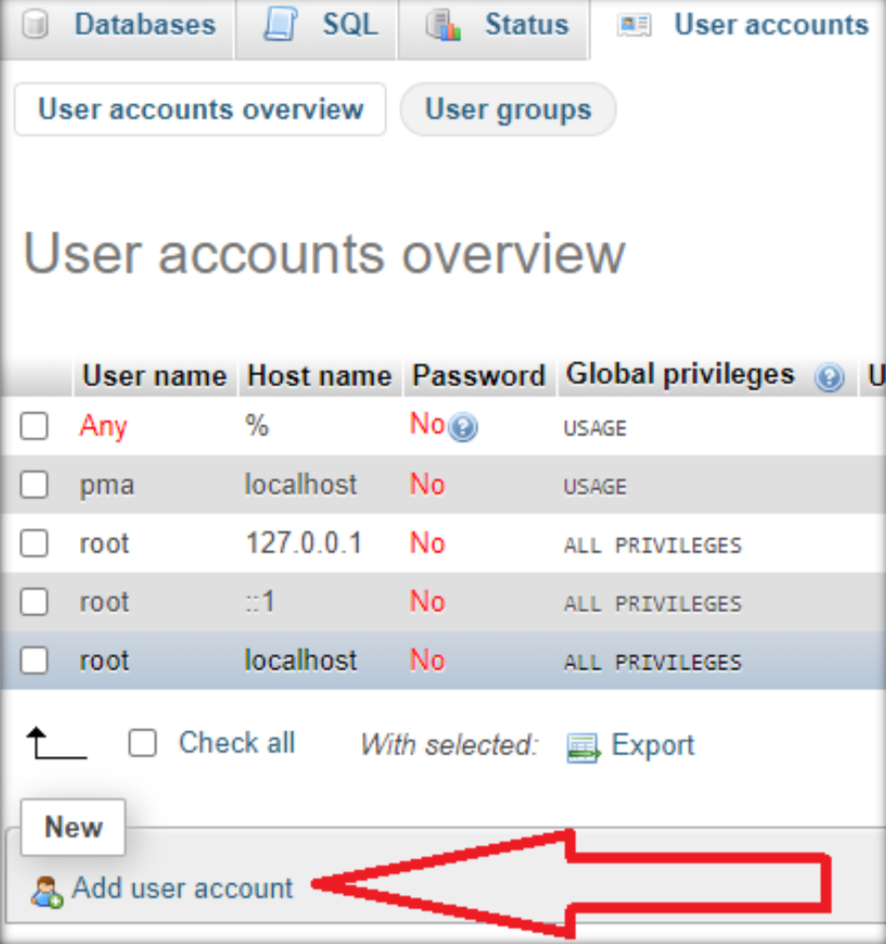
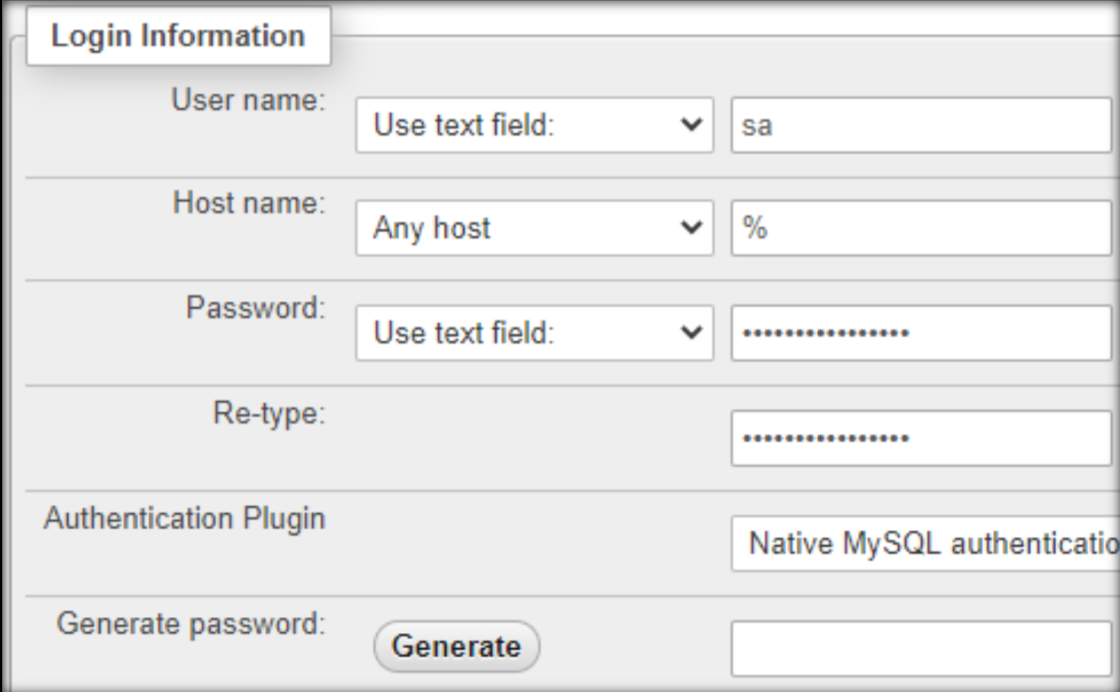
- Host Local
- Username: sa
- Host Name: localhost
- Password: U6v1pPnVE513nz75
- Global Privileges: Check All

- Host
%(Untuk issue EQUAL Scheduler)- Username: sa
- Host Name: %
- Password: U6v1pPnVE513nz75
- Global Privileges: Check Tab “Data”
